
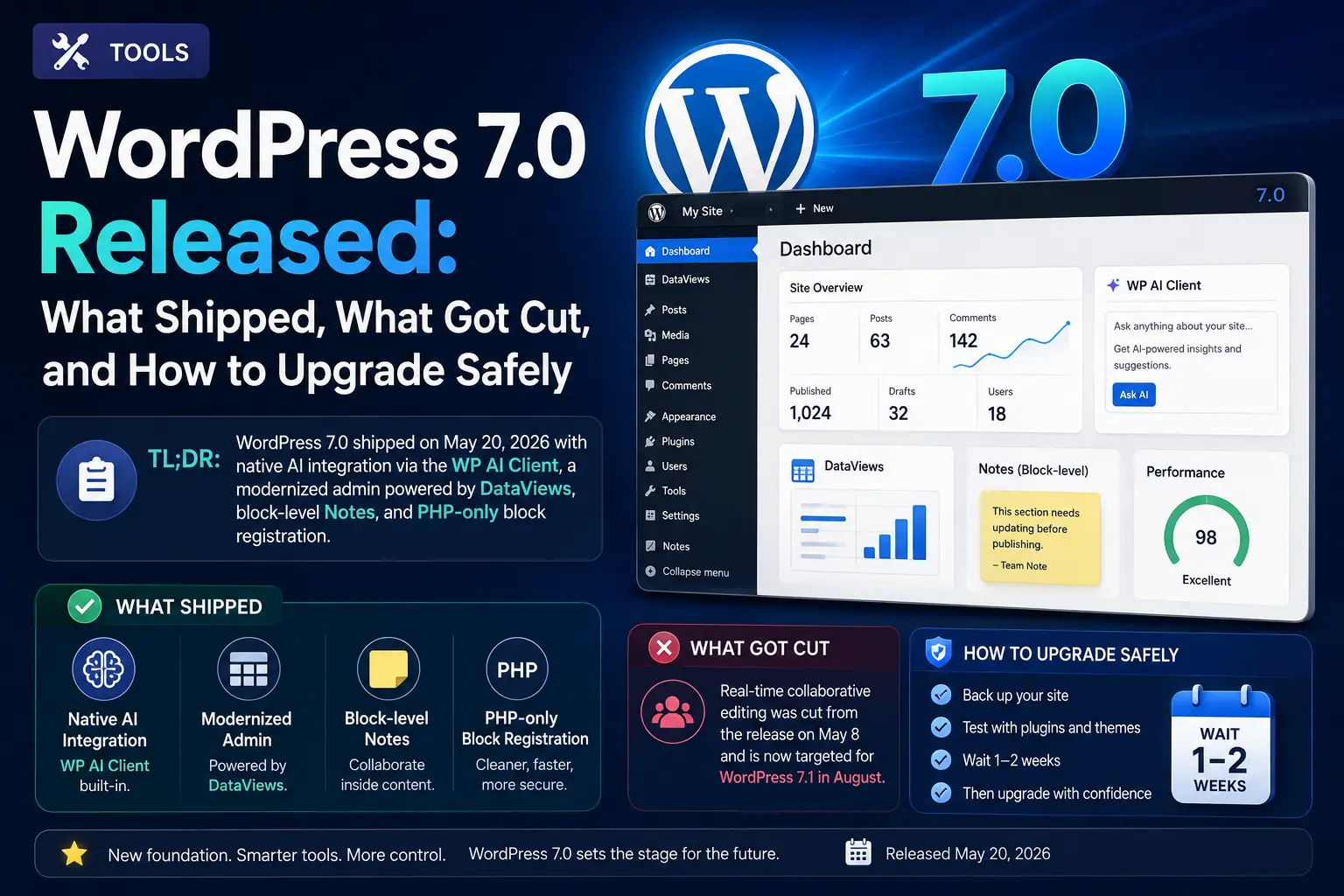
WordPress 7.0 Released: What Shipped, What Got Cut, and How to Upgrade Safely
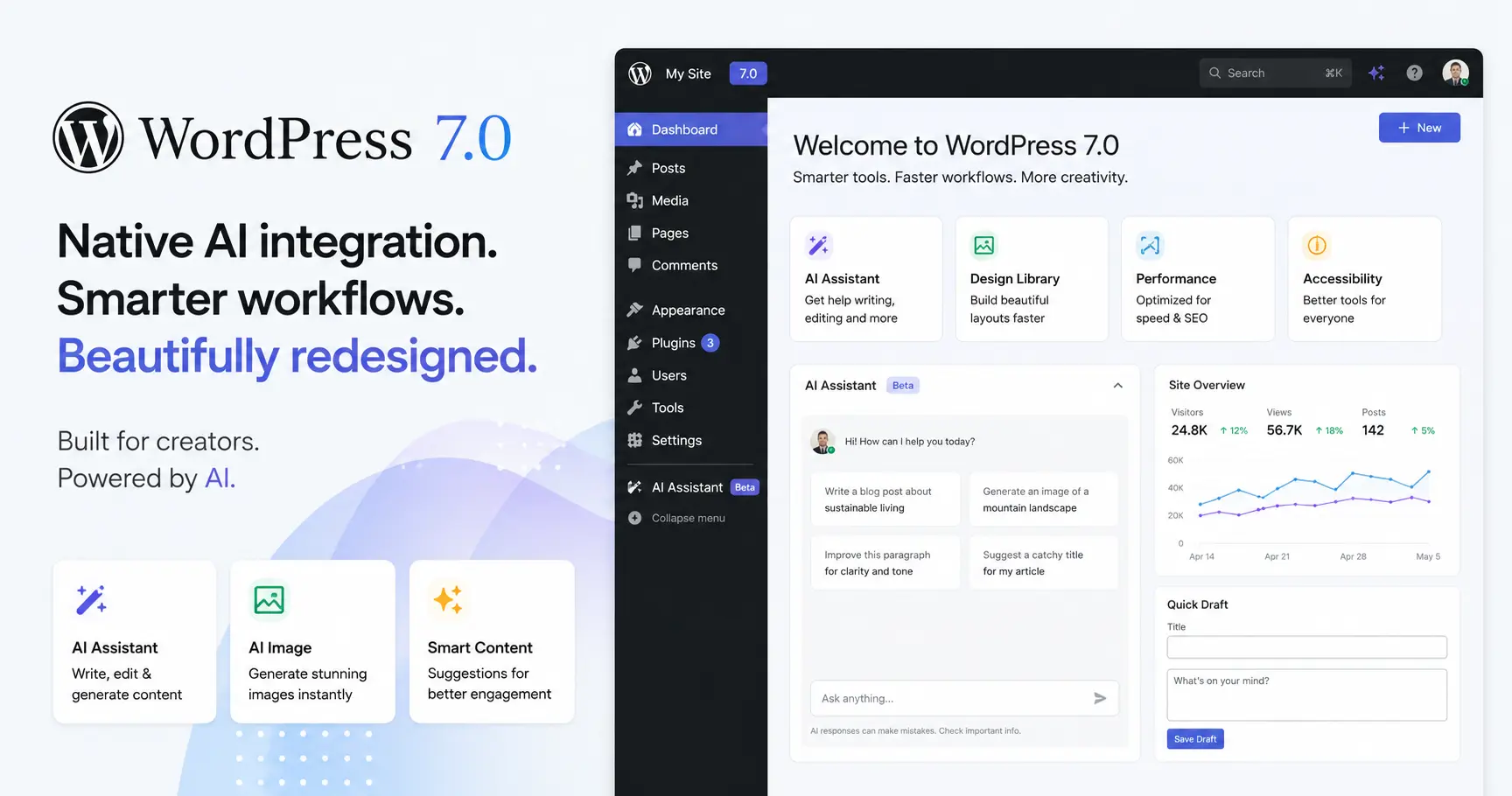
WordPress 7.0 shipped on May 20, 2026 with native AI integration via the WP AI Client, a modernized admin powered by DataViews, block-level Notes, and PHP-only block registration. Real-time collaborative editing was cut from the release on May 8 and is now targeted for WordPress 7.1 in August. Wait one to two weeks before upgrading any production site.
Key takeaways
- WordPress 7.0 launched May 20, 2026, delayed six weeks from its original April 9 date after a critical architectural flaw was found in the collaboration system.
- Real-time co-editing was removed entirely from core on May 8, 2026, by release lead Matias Ventura. It is now scheduled for WordPress 7.1 on August 19, 2026.
- The WP AI Client ships in core with a provider-agnostic PHP API. Official provider plugins for Anthropic (Claude), Google (Gemini), and OpenAI (ChatGPT) install separately from wordpress.org and are free to install but require paid API keys.
- DataViews replaces legacy WP List Tables across the Posts, Pages, and Media screens. Any plugin that modifies those screens needs testing before you upgrade a production site.
- PHP 7.4 is now the hard minimum, dropping support for PHP 7.2 and 7.3. Sites on older versions will not receive the 7.0 auto-update. PHP 8.3 or higher is strongly recommended, especially for AI features.
WordPress 7.0 shipped on May 20, 2026. The headline feature it was supposed to launch with, real-time collaborative editing, was deleted from the codebase 12 days before release.
WordPress powers 43% of all websites on the internet. A major release of this CMS is not a routine event. What did ship is arguably more consequential for the long term: native AI integration built directly into WordPress core, connecting to Claude (Anthropic), Gemini (Google), and ChatGPT (OpenAI) through a standardized API. This matters because it changes what WordPress plugins can do without requiring each one to build its own AI layer from scratch.
The official release notes are on make.wordpress.org/core. This article covers exactly what shipped, what got cut, what changed for developers, and whether you should update your site today or wait.
For the broader context on AI tools that integrate with your publishing workflow, see our Complete Guide to AI Tools in 2026.
What actually shipped in WordPress 7.0
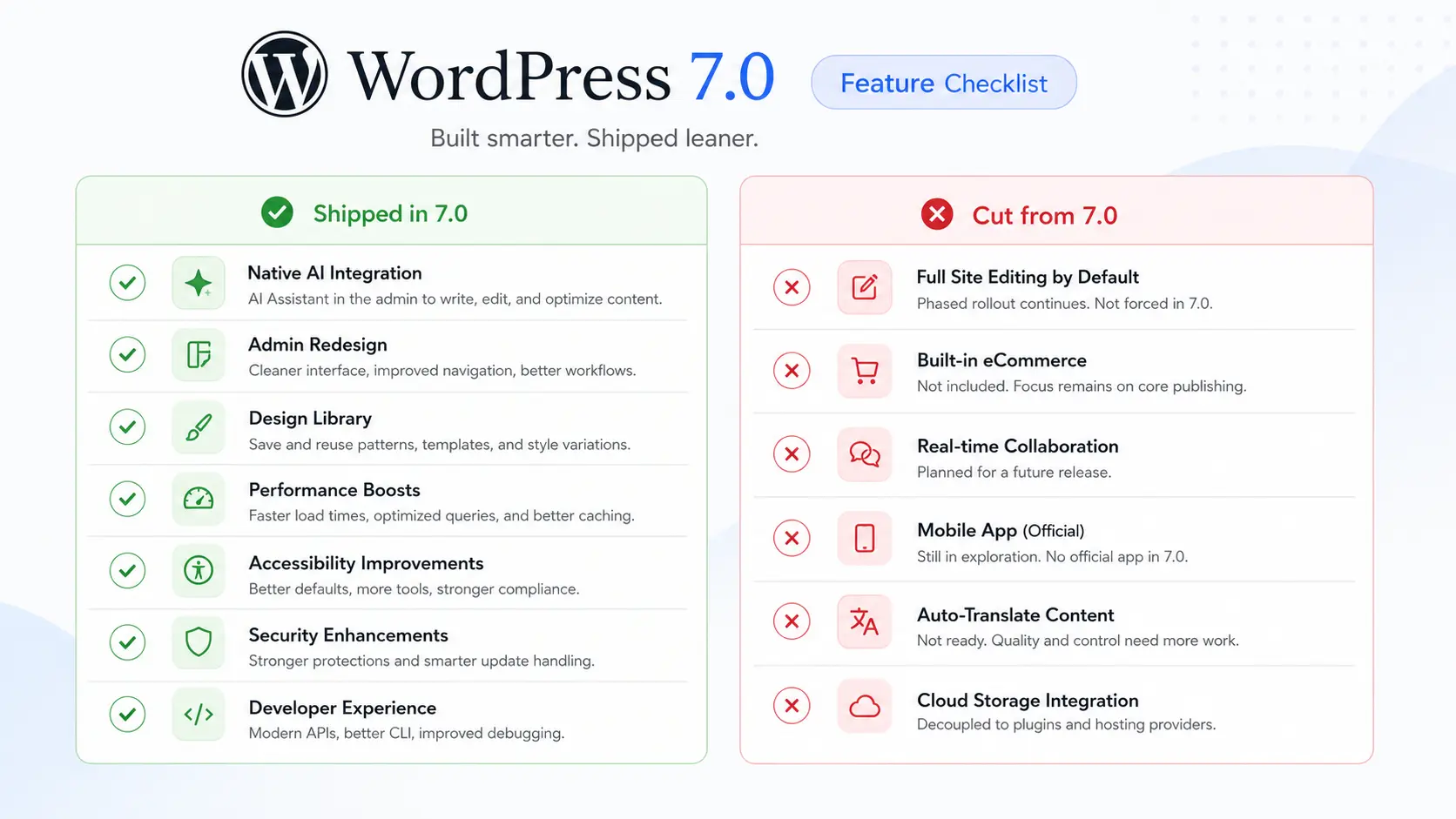
The clearest way to understand WordPress 7.0 is to separate what was promised from what made the release. The table below is based on the official RC3 announcement and confirmed by the May 20 release notes.
| Feature | Status in 7.0 | Notes |
|---|---|---|
| WP AI Client (core PHP API) | Shipped | wp_ai_client_prompt() available in core |
| AI Provider plugins (Anthropic, Google, OpenAI) | Shipped | Separate installs from wordpress.org, not bundled in core |
| Abilities API (client-side JS) | Shipped | Stable @wordpress/abilities package |
| Settings > Connectors page | Shipped | Central dashboard for AI provider management |
| DataViews admin redesign | Shipped | Replaces legacy WP_List_Table across core screens |
| Block-level Notes | Shipped | Single-user editorial comments on blocks with @mentions |
| PHP-only block registration | Shipped | No React or JavaScript build step required |
| New blocks (Breadcrumbs, Icons, Navigation Overlays) | Shipped | No new default theme in 7.0 |
| Client-side media processing (AVIF) | Shipped | Image resizing and compression handled in browser |
| Real-time collaborative editing | Cut | Removed from core on May 8, targeted for WordPress 7.1 |
| New default theme | Cut | Focus remains on Twenty Twenty-Five improvements |
Source: WordPress.org RC3 release notes and 365i post-launch analysis, May 20, 2026.
The real-time collaboration removal deserves a plain explanation. The core team discovered that the sync data was being saved using the post meta table, which was never designed for high-frequency concurrent writes. Fixing it required building a dedicated database table from scratch. Rather than delay the entire release further, Matt Mullenweg removed the feature entirely from RC3 on May 8.
The WP AI Client in WordPress 7.0: WordPress meets Claude and ChatGPT
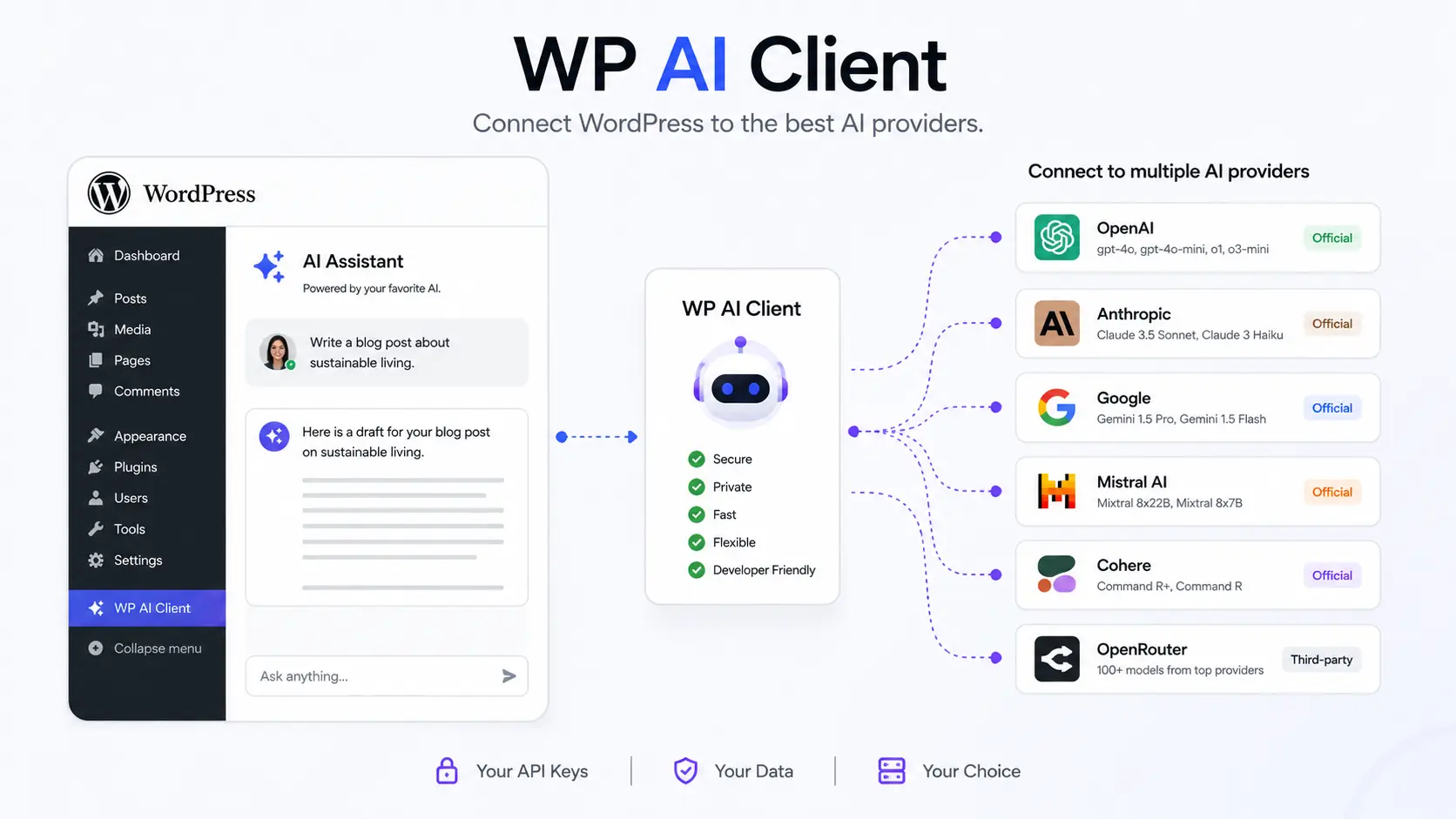
The most significant architectural change in WordPress 7.0 is the WP AI Client, a provider-agnostic PHP API built into core that gives plugins a standard way to call any AI model. The entry point is wp_ai_client_prompt(), which returns a fluent builder supporting text, image, speech, and video generation through a consistent interface.
Before this, every WordPress plugin that wanted AI had to build its own authentication layer, prompt formatting, response parsing, and API key management. The result was a fragmented ecosystem where AI capabilities were locked inside individual plugins. WordPress 7.0 ends that pattern for new development.
Three official provider plugins ship on wordpress.org at launch: one for Anthropic (Claude), one for Google (Gemini), and one for OpenAI (ChatGPT). None are bundled in core. You install whichever provider you want, then configure the API key at Settings > Connectors. AI features only activate if at least one provider is configured, so the upgrade carries zero risk for sites that do not want AI at all.
The Abilities API, a client-side JavaScript package at @wordpress/abilities, sits alongside the PHP API. It gives plugin developers a standard way to define what AI capabilities are available and under what conditions, then exposes those capabilities to the Command Palette and to external AI coding tools like Claude Code, Cursor, and VS Code through an MCP Adapter. This is what makes WordPress 7.0 relevant to AI developers: your WordPress site can now be controlled by an AI agent, not just consume AI output.
At launch, 365i reported 17 Abilities registered in their RC5 test: 3 from core and 14 from third-party plugins. That number will grow as the plugin ecosystem catches up.
The admin redesign: DataViews and what it breaks
DataViews replaces the legacy WP_List_Table that has powered the Posts, Pages, Users, and Media screens since WordPress 2.x. The new system is built on React components from @wordpress/components and supports inline filtering and sorting without page reloads, multiple layout options (table, grid, list, and a new activity layout), and smooth animated page transitions across wp-admin.
For day-to-day users of WordPress, this is a genuine quality-of-life upgrade. On content-heavy sites where you regularly hunt through hundreds of posts, the ability to filter and sort without a full page reload is a meaningful speed improvement.
For plugin developers, this is the highest-risk compatibility change in the release. Any plugin that modifies the Posts, Pages, or Media list views needs to be reviewed and tested. The DataViews replacement is not backward-compatible with custom WP_List_Table subclasses. WPAdminify confirmed that major plugins like WooCommerce, Yoast SEO, ACF, Elementor, and WP Adminify have already shipped compatibility updates. Check the “Tested up to” version on each plugin’s wordpress.org page before upgrading a production site.
The rest of the admin refresh is less disruptive: a consistent spacing system, smooth screen-to-screen transitions, and a command palette for keyboard navigation. The overall brand and menu structure are unchanged. Zume Hosting described it accurately as “a coat of paint rather than a complete redesign.”
What WordPress 7.0 changed for developers
Three developer-facing changes matter most in WordPress 7.0.
PHP-only block registration
Blocks can now be registered and rendered entirely in PHP with no JavaScript or React build pipeline. WordPress auto-generates editor Inspector controls for common attribute types. If your block does not need client-side interactivity in the editor, you can now skip the JS build step entirely. For agencies building simple dynamic blocks, this removes real friction.
Block Bindings API improvements
Pattern overrides now work with any custom block, not just core blocks. This makes connecting dynamic data sources to blocks far more flexible and reduces the need for custom metabox solutions on content-driven sites.
PHP and database requirements
WordPress 7.0 raises the minimum PHP version from 7.2.24 to PHP 7.4, dropping support for PHP 7.2 and 7.3 entirely. Sites on those versions will not see the 7.0 auto-update in their dashboard; they stay on the WordPress 6.9 security branch. According to wordpress.org/about/requirements, PHP 7.2 and 7.3 combined account for less than 4% of active WordPress installations, which triggered the official deprecation. In practice, you want PHP 8.3 or higher (8.4 also runs cleanly, per 365i’s RC5 test) to get full performance from the WP AI Client. The database minimums are MySQL 5.5.5 or MariaDB 10.4, but MySQL 8.0 or MariaDB 10.6 are the recommended versions. Check your current PHP version at Tools > Site Health in your dashboard.
WordPress 7.1 is scheduled for August 19, 2026. The core team has scoped real-time collaboration, expanded post management Abilities, and further DataViews extensibility for that release. Developers building on the Connectors API should note that future releases plan to support additional authentication methods and lift the ai_provider type restriction.
If you work with AI coding tools, our guide to the best AI coding tools in 2026 covers Claude Code, Copilot, and Cursor in depth, including how each integrates with WordPress development workflows.
Should you upgrade to WordPress 7.0 now?
The answer depends on your site’s complexity.
Personal blogs and simple sites
Upgrade now or within a few days. The risk is low, and the admin improvements are immediately useful. Back up first with whatever backup tool you use (UpdraftPlus, Jetpack, or your host’s built-in tool), then update.
Sites with custom admin customizations
Wait one to two weeks. DataViews is the biggest breaking change in this release. If you or a developer have built anything that touches the Posts, Pages, or Media list screens, test on a staging environment first. The DataViews migration is the compatibility round that will catch the most sites off guard.
Agencies managing client sites
Run an audit before updating any client. Check PHP version (needs 7.4 minimum, 8.3 recommended; sites on 7.2 or 7.3 will not receive the update automatically), verify plugin compatibility via the “Tested up to” labels on wordpress.org, test on staging, and update plugins before updating WordPress core. The DataViews and iframed editor changes will surface issues in older plugin codebases.
Sites that want AI features
Upgrade when you are ready, then install one of the three provider plugins and configure your API key at Settings > Connectors. Start with the Anthropic or OpenAI plugin depending on your existing API account. For a broader look at how AI writing tools compare, see our guide to the best AI writing tools in 2026.
Frequently asked questions
Did WordPress 7.0 ship with real-time collaboration?
No. Real-time collaboration was removed from WordPress 7.0 on May 8, 2026, twelve days before launch. The code was deleted entirely from RC3, not just disabled. The feature is now targeted for WordPress 7.1, scheduled for August 19, 2026.
How do I connect Claude or ChatGPT to WordPress 7.0?
Install the relevant provider plugin from wordpress.org (Anthropic, Google, or OpenAI), then go to Settings > Connectors in your dashboard to add your API key. The WP AI Client built into WordPress 7.0 core handles the rest. You need a paid API key from the provider; costs vary by usage.
What PHP version does WordPress 7.0 require?
WordPress 7.0 raises the minimum PHP version to 7.4, dropping support for PHP 7.2 and 7.3. If your site runs either of those older versions, the 7.0 auto-update will not appear in your dashboard. PHP 8.3 or higher is strongly recommended, especially for the WP AI Client and MCP Adapter. Check your current version at Tools > Site Health.
Is it safe to upgrade to WordPress 7.0 right now?
For simple personal sites, upgrading now is fine. For production sites with complex plugins or custom admin interfaces, wait one to two weeks. The DataViews change is the highest-risk compatibility issue: any plugin that modifies the Posts, Pages, or Media list views needs testing on a staging environment first.
When is real-time collaboration coming to WordPress?
The WordPress core team has targeted real-time collaboration for WordPress 7.1, scheduled for August 19, 2026, aligned with WordCamp US. The feature was cut from 7.0 because the data storage layer for concurrent editing required a complete rebuild from scratch.
Are popular plugins like Yoast, WooCommerce, and Elementor compatible with WordPress 7.0?
Yes, major plugins including WooCommerce, Yoast SEO, RankMath, ACF, and Elementor have already shipped WordPress 7.0-compatible updates. The highest-risk category is plugins that modify the Posts, Pages, or Media admin list screens, because DataViews replaces the underlying system. Always check the “Tested up to” label on wordpress.org and test on a staging site before upgrading production.
Part of the AI Tools series
This article is one piece of our comprehensive guide on AI tools for 2026. For the full picture on writing tools, coding assistants, free AI options, and more, read the main guide:
The Complete Guide to AI Tools in 2026: Every Category Explained
Bottom line
WordPress 7.0 is a significant infrastructure release. The headline feature was cut, but what shipped, specifically native AI integration via the WP AI Client, DataViews, and PHP-only blocks, lays the foundation for a more capable and AI-connected WordPress ecosystem in 2026 and beyond.
Real-time collaboration lands in WordPress 7.1 on August 19. If your team has been waiting for Google Docs-style co-editing inside WordPress, that is the release to watch.
For daily coverage of AI tools, model releases, and what they mean for your workflow, subscribe to the BriefArticle daily brief.
Get the daily AI brief
Delivered at 7:30 AM EST, Monday to Friday. AI news in plain English. Free, no fluff, and unsubscribe anytime.