
ChatGPT Work 2026: What It Does and Who Should Use It
ChatGPT Work is OpenAI’s new agent mode for longer business tasks: research, connected-app analysis, documents, spreadsheets, presentations, Sites, and scheduled workflows. The practical question is not whether it sounds powerful. It is whether it fits your work without creating avoidable privacy, access, or review problems.
OpenAI announced ChatGPT Work on July 9, 2026, alongside the GPT-5.6 model family. As of July 19, 2026, the best use case is clear: use ChatGPT Work when you need a finished work product from multiple sources, not when you just need a quick answer.
Quick answer: what is ChatGPT Work?
ChatGPT Work is an agent in ChatGPT that can plan and complete multi-step work across files, apps, browsers, and connected tools while asking for approval when needed. It is best for repeatable knowledge-work tasks such as reports, dashboards, launch plans, meeting prep, spreadsheet analysis, and internal project trackers.
Key takeaways
- ChatGPT Work launched on July 9, 2026 as OpenAI’s agent surface for longer, finished work.
- It is powered by GPT-5.6, OpenAI’s model family built for multi-step tasks, tool use, and polished work outputs.
- On web and mobile, Work is rolling out to paid plans; the updated desktop app includes Chat, Work, and Codex across plans.
- ChatGPT Sites is part of the same shift: users can create interactive websites, dashboards, project trackers, and lightweight apps from Work or Codex.
- The main risk is not bad writing. It is over-connecting sensitive apps, files, calendars, email, CRM, or browser sessions without clear approval rules.
- The smartest first test is a low-risk repeatable workflow with source files you already understand, such as a weekly meeting brief or campaign performance summary.
ChatGPT Work 2026: what changed
ChatGPT Work moves ChatGPT from a conversational assistant toward a work execution layer. OpenAI describes it as an agent that can gather context from apps and workflows, create finished materials, and stay with complex projects for hours by breaking them into smaller steps.
That matters because most business AI use still stops at drafting. A user asks for a summary, a memo, or a spreadsheet formula, then manually moves the result into another tool. ChatGPT Work is designed for the messier middle: finding the source material, choosing a plan, building the artifact, checking progress, and letting the user approve important actions.
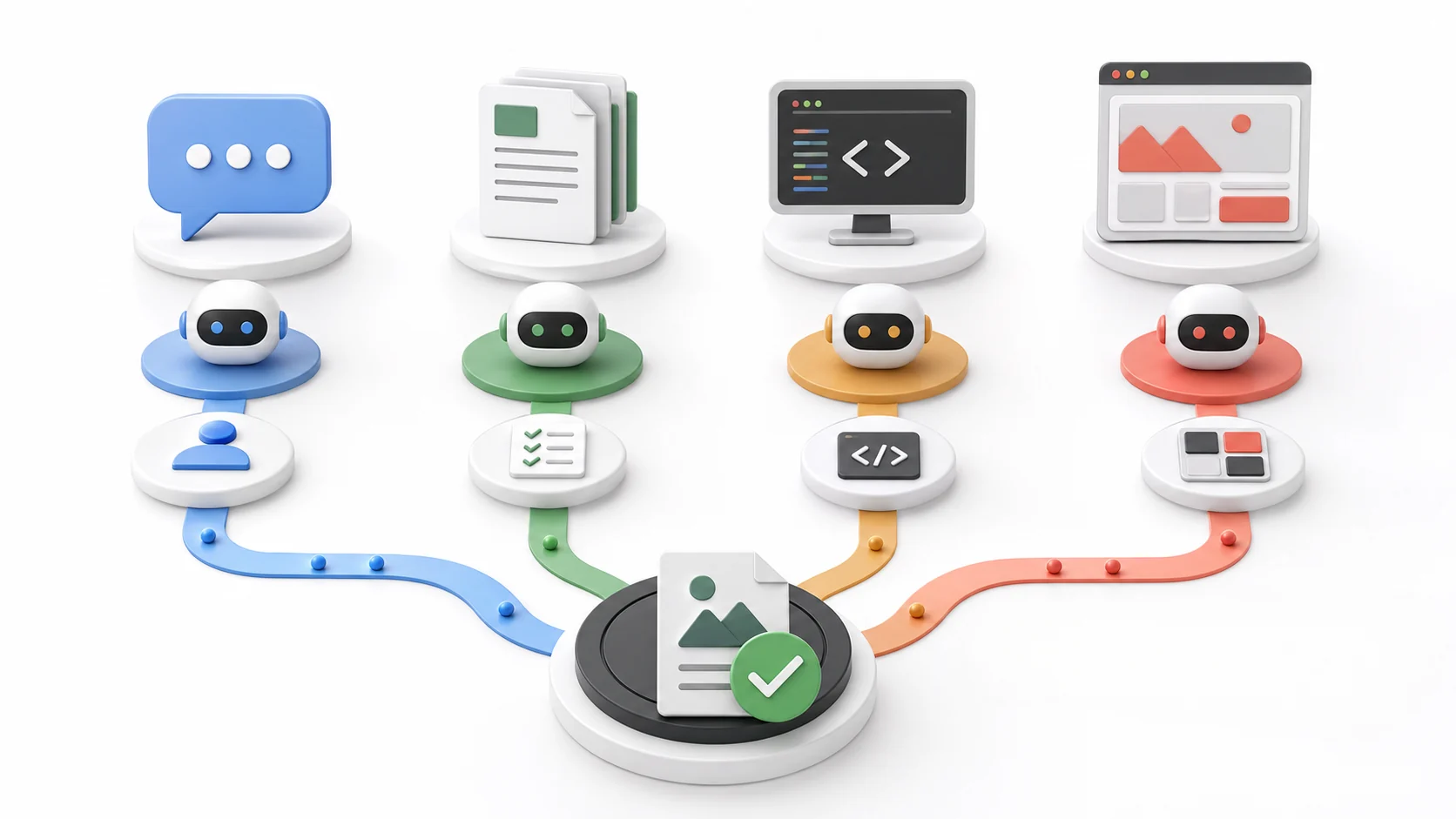
ChatGPT Work vs ChatGPT, Codex, and Sites
The naming can get confusing because OpenAI is bringing several surfaces closer together. Use this simple distinction when deciding what to open first.
| Surface | Best for | Use it when |
|---|---|---|
| ChatGPT Chat | Questions and drafts | You need a fast answer or rewrite. |
| ChatGPT Work | Finished deliverables | The task spans files, apps, and steps. |
| Codex | Software work | You need code changes, tests, or PR review. |
| ChatGPT Sites | Interactive pages | You need a dashboard, tracker, or lightweight app. |
Who gets ChatGPT Work?
OpenAI says ChatGPT Work began rolling out on web and mobile on July 9, 2026, starting with Pro, Enterprise, and Edu plans, then expanding to Plus and Business users over the following days. The updated ChatGPT desktop app is available globally for macOS and Windows, with Chat, Work, and Codex available on every plan, including Free.
There are still rollout details to check in your own account. Some features may depend on plan, workspace settings, region, admin controls, connected plugins, and whether you are using the current desktop app or ChatGPT Classic.
What ChatGPT Work can actually do
The most useful framing is simple: ChatGPT Work is for tasks where the output is a thing, not just an answer. That thing might be a spreadsheet, a slide deck, a written report, an internal tracker, a project plan, a competitive analysis, or a simple interactive Site.
For US professionals, the strongest early use cases are:
- Sales: turn CRM notes, account history, and call summaries into account plans or meeting briefs.
- Marketing: turn campaign data, customer research, and positioning notes into launch briefs or asset plans.
- Finance: compare spreadsheets, explain variance, and prepare executive-ready summaries for review.
- Operations: refresh weekly status trackers from email, Slack, documents, and project tools.
- Data teams: turn messy source exports into a cleaned analysis and a short explanation of assumptions.
- Founders: turn scattered notes into investor updates, hiring plans, vendor comparisons, or operating dashboards.
The important word is “review.” ChatGPT Work can speed up the assembly and first-pass analysis, but business users should still verify numbers, source files, permissions, and final claims before sharing outputs.
Where GPT-5.6 fits
ChatGPT Work is powered by GPT-5.6. OpenAI says the GPT-5.6 family includes Sol, Terra, and Luna, with different tiers for flagship capability, balanced work, and lower-cost speed. For everyday readers, the key point is not the benchmark race. It is that GPT-5.6 is designed for the exact tasks Work depends on: following instructions over many steps, using tools, coordinating intermediate results, and producing polished documents, sheets, slides, and app-like outputs.
For a direct breakdown of model access, reasoning modes, limits, and API costs, read our GPT-5.6 Sol, Terra, and Luna guide.
That does not mean every task needs the strongest setting. For routine tasks, a cheaper or lower-effort setting may be enough. For high-value work such as board materials, financial analysis, legal drafts, technical audits, or customer-facing assets, stronger settings may be worth testing if your plan allows them.
Best first workflow to test
Do not start by giving ChatGPT Work broad access to everything. Start with one controlled, low-risk workflow where you already know what good output looks like.
| Workflow | Input | Output to review |
|---|---|---|
| Weekly brief | Docs, notes, tasks | One-page update |
| Campaign review | Ad data, goals | Findings and next steps |
| Meeting prep | Agenda, CRM, emails | Brief plus questions |
| Simple Site | Plan, data, links | Private preview |
Safety and privacy checks before connecting apps
The biggest ChatGPT Work mistake is treating connected apps like harmless convenience. They are not. Email, calendars, cloud drives, CRMs, project trackers, and browser sessions can contain confidential business information, personal data, financial records, customer details, or legal material.

Before using ChatGPT Work on real business data, apply this checklist:
- Connect only the apps needed for the current workflow.
- Use source folders or test files before connecting broad shared drives.
- Require approval before sending, publishing, deleting, sharing, or changing records.
- Remember that cloud browser does not accept credentials, use password managers, sign in to websites, or complete payments at launch.
- Keep sensitive logins, payment data, protected health information, and private credentials out of prompts.
- Ask for source-backed outputs with links or file references when decisions matter.
- Review final documents, spreadsheets, Sites, and emails before they leave your workspace.
- For teams, confirm admin settings, plugin access, public publishing rules, and compliance requirements.
How ChatGPT Sites changes the workflow
ChatGPT Sites is important because it turns some work products into interactive pages instead of static documents. OpenAI says Sites can create dashboards, project trackers, launch calendars, prototypes, internal portals, and reports from Work on the web or from Work or Codex in the desktop app.
That is useful when a spreadsheet or slide deck is too flat. A sales team might need a live account dashboard. A marketer might need a launch calendar. A founder might need a lightweight investor-update hub. Still, public publishing should be treated as a real production step. Sites is in public beta and OpenAI says access depends on plan and region, with Sites unavailable in the EEA, Switzerland, and the United Kingdom at launch. Review access settings, forms, uploaded files, links, generated text, and any personal data before sharing a Site outside the workspace.
Should small businesses use ChatGPT Work now?
Small businesses should test ChatGPT Work, but not by connecting every system on day one. The best starting point is a workflow that is repetitive, time-consuming, and low-risk if the first draft needs correction.
Good first tasks include:
- Turn last week’s notes into a Monday priorities memo.
- Summarize support tickets into recurring customer themes.
- Draft a campaign brief from approved product notes.
- Build a private project tracker from a spreadsheet and timeline.
- Prepare a sales meeting brief from non-sensitive account notes.
Riskier tasks should wait until your team has rules. That includes sending customer emails, changing CRM records, publishing public Sites, reconciling financial files, or acting inside admin tools.
How this fits with the broader AI tools stack
ChatGPT Work is part of a broader shift from chatbots to agents. For a wider view of the category, read BriefArticle’s AI Tools 2026 complete guide. If you are deciding whether ChatGPT belongs in your daily stack, the ChatGPT alternatives 2026 comparison explains where Claude, Gemini, Perplexity, and other tools still win.
For model context, see the best AI models 2026 comparison. Small teams should also compare this launch with the best AI tools for small business 2026 stack, because ChatGPT Work may replace some manual workflows but will not replace every specialized business tool.
If your main concern is OpenAI’s model changes, the earlier BriefArticle explainer on GPT-5.5 Instant becoming ChatGPT’s default model is the best background read.
Sources and fact-checking
- OpenAI: ChatGPT is now a partner for your most ambitious work
- OpenAI Help Center: ChatGPT release notes
- OpenAI Help Center: ChatGPT Work and Codex
- OpenAI: ChatGPT Work product page
- OpenAI: GPT-5.6 announcement
- OpenAI Help Center: Creating and managing ChatGPT Sites
- OpenAI Help Center: Using cloud browser in ChatGPT
Fact checked and updated on July 19, 2026. AI product features, limits, pricing, plan access, and regional availability can change quickly. Always verify important claims in the original source before publishing or making business decisions.
FAQ
Is ChatGPT Work the same as regular ChatGPT?
No. Regular ChatGPT Chat is best for quick questions, drafting, rewriting, and analysis inside a conversation. ChatGPT Work is meant for longer tasks that may involve files, connected apps, browser activity, scheduled work, and finished deliverables such as documents, spreadsheets, presentations, or Sites.
Is ChatGPT Work replacing Codex?
No. OpenAI says Codex remains the coding-focused agent, while the updated desktop app brings Chat, Work, and Codex together. Use Codex for software changes, tests, pull request review, and repository work. Use ChatGPT Work for broader business workflows and finished knowledge-work outputs.
Can ChatGPT Work use my email, files, or business apps?
Yes, when connected tools and permissions allow it. That is useful for context-heavy work, but it also creates privacy and security risk. Connect only the tools needed for a task, review workspace policies, and require approval before any sensitive action.
Who should try ChatGPT Work first?
Teams with repeatable document, spreadsheet, research, reporting, or project-management workflows should try it first. Sales, marketing, finance, operations, and data teams are strong candidates because they often spend hours moving information between systems before producing a final artifact.
Is ChatGPT Sites included with ChatGPT Work?
ChatGPT Sites is a related feature that can be created from Work on ChatGPT web or from Work or Codex in the desktop app. It lets users build interactive websites and lightweight apps such as dashboards, trackers, launch calendars, prototypes, internal portals, and reports. Availability depends on plan, region, rollout status, and workspace admin settings.
What is the safest way to test ChatGPT Work?
Start with a low-risk workflow using approved files and a clear output format. Ask ChatGPT Work to explain its plan first, keep connected apps limited, review all outputs, and avoid giving it authority to send, publish, delete, or change records until your team has approval rules.
For shorter, owner-reviewed tasks that do not require an autonomous agent, start with our ChatGPT prompts for small business workflows.
Final recommendation
ChatGPT Work is worth testing if your work involves repeated handoffs between notes, files, apps, spreadsheets, decks, and reports. It is not just a better chatbot; it is a new workflow surface for turning scattered context into finished work.
The smart move is to start small. Pick one workflow you understand, connect the minimum context needed, require approval for important actions, and compare the output against your normal process. If it saves time without weakening review quality, expand from there.