
Best AI Agents for Small Business in 2026: Tools Compared
The best AI agents for small business are the ones that automate one bounded workflow with clear data access and a human approval step. For most small teams, that means starting with the platform already connected to your work: ChatGPT Work for a ChatGPT Business workspace, AI by Zapier for an existing Zapier automation, n8n for technical workflow control, or Microsoft Copilot Studio for Microsoft 365 operations.
This guide compares those options by workflow fit, setup effort, controls, and cost model. It does not assume that an “agent” can replace a person or run without review. Product availability, plan limits, and billing can change, so validate a small test before moving a live customer, financial, or operational process.
Quick answer: which AI agent should a small business choose?
Choose the platform that already holds the work and start with one reversible task. ChatGPT Work is the most practical starting point for teams already using ChatGPT Business; AI by Zapier is the stronger fit for a cross-app process already built in Zapier; n8n suits a technical team that needs deeper workflow control; and Copilot Studio fits organizations centered on Microsoft 365. Require a named owner and approval before any external action.
| Tool | Best first workflow | Setup and controls | Cost model to verify |
|---|---|---|---|
| ChatGPT Work and workspace agents | Recurring research, lead review, report drafts, and shared internal workflows | Low to moderate setup in ChatGPT Business; admins set approved apps, permissions, and checkpoints | Business plan and any applicable credits; workspace agents are in research preview |
| AI by Zapier | A cross-app intake, routing, enrichment, or follow-up process | Moderate setup; test the AI step inside a Zap and use per-tool approvals where needed | Zapier plan, task usage, and AI model tier |
| n8n | A controlled workflow that needs custom logic, code, or nonstandard integrations | Higher setup; assign a technical owner and log every workflow run | Hosting, execution, model, and integration costs |
| Microsoft Copilot Studio | A Microsoft 365 knowledge or service workflow with tenant governance | Moderate to high setup; scope knowledge sources, identity, and channels before launch | Copilot Credits, feature usage, and licensing |
If you need a broader software shortlist before choosing an agent platform, start with our best AI tools for small business guide. This article intentionally narrows the decision to tools that can help complete a multi-step workflow, rather than every AI app a small team might use.
What counts as an AI agent for a small business?
For this comparison, an AI agent does more than draft text in a chat box. It has a defined job, can use approved information or tools, follows a sequence of steps, and produces a result for someone to review. A simple example is a lead-review workflow that reads a form submission, checks required fields, creates a CRM draft, and asks a sales owner to approve the follow-up.
That definition matters because it keeps expectations practical. A useful first agent should have a clear beginning, a clear end, a small number of systems, and an easy way to undo its output. Do not begin with refunds, payroll changes, contracts, public posts, or any action that can create a legal, financial, security, or customer-service commitment without human approval.
Best AI agents by small-business workflow
ChatGPT Work and workspace agents: best for a shared ChatGPT workflow
OpenAI positions ChatGPT Business for everyday work such as managing customers, preparing financial reports, creating marketing materials, and running operations. Its workspace agents can be shared across a team, work on schedules, use approved tools, and include admin-defined permissions, approval checkpoints, and monitoring. At the time of this review, workspace agents are described as a research preview for eligible ChatGPT plans.
Choose this route when the team already works in ChatGPT and wants one shared workflow, such as turning a weekly pipeline export into a manager-ready review packet. Keep the first version internal: ask the agent to gather and structure information, then let a person decide what gets sent or changed. Our existing ChatGPT Work guide explains the product transition and the kind of multi-step work it is designed to support.
AI by Zapier: best for an existing cross-app Zapier process
AI by Zapier is the better fit when the real work already moves through Zapier. Zapier says its former standalone Agents product is migrating into an AI by Zapier step inside the Zap editor, where it can use Zap triggers, actions, filters, branching logic, and automation history. That transition is important: avoid designing a new process around an old standalone-agent tutorial, and test a migrated or newly built Zap before relying on it.
A practical pilot is lead intake. Let the workflow read a web form, identify missing fields, classify the inquiry, and prepare a CRM record. Keep the final customer reply in a review queue until the team has checked enough real examples. For another perspective on workflow tools beyond agent platforms, see our complete AI tools guide.
n8n: best for technical teams that need more control
n8n is a better match when a small business has a technical owner and the workflow needs custom logic, code, or a nonstandard integration. Its AI agent builder emphasizes source availability, integrations, and code-based flexibility. That flexibility is valuable only when someone owns the build, credentials, failures, and changes.
Use n8n for a process that needs explicit business rules around an agent, such as gathering data from an approved inbox and database, creating a draft record, and stopping for a person to approve it. Build logging and a manual fallback before expanding it to more customers or departments.
Microsoft Copilot Studio: best for Microsoft 365-centered operations
Copilot Studio is a reasonable fit when the team already uses Microsoft 365 and needs tenant-level governance, internal knowledge, or Microsoft-connected processes. Its billing is usage-based: Microsoft documents Copilot Credits for different agent features, tools, and flows. A workflow that uses generative answers, actions, and premium reasoning can draw from more than one billing meter, so estimate a real workflow before rollout.
This is usually not the lightest first choice for a two-person business with no Microsoft operations owner. It becomes more compelling when the business already has Microsoft 365 workflows, documented knowledge sources, and someone responsible for access and cost monitoring.
How to choose an AI agent without buying the wrong platform
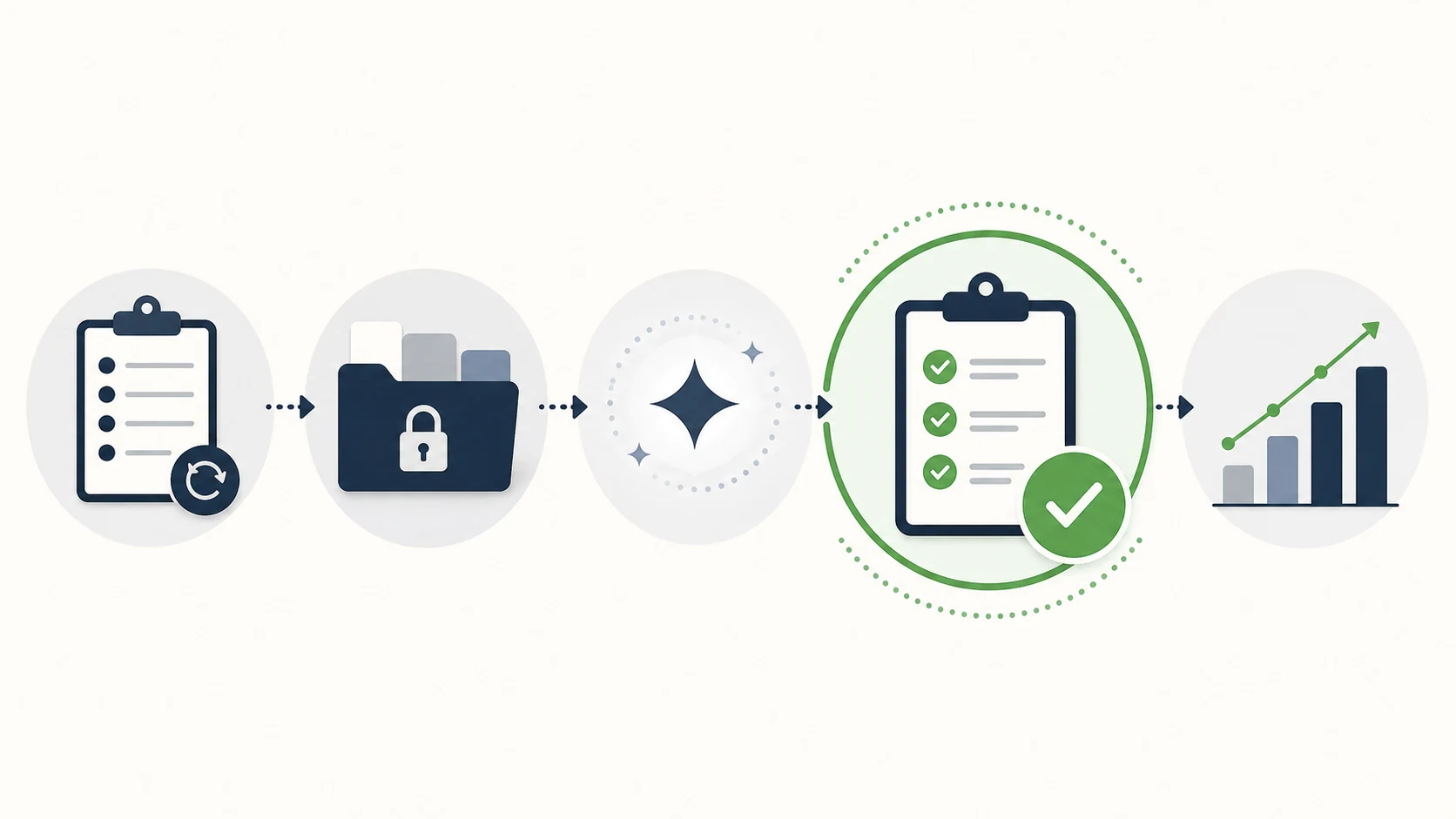
- Name the bottleneck. Write one repetitive task that consumes time every week. “Improve operations” is too broad; “prepare a Monday lead-review sheet from the CRM and inbox” is testable.
- Map the systems and data. List exactly which inboxes, files, CRM fields, and knowledge sources the workflow needs. Remove anything it does not need.
- Choose the platform closest to the work. A ChatGPT Business team should test workspace agents first. A Zapier-heavy team should test AI by Zapier. A technical team with custom systems may test n8n. A Microsoft 365 organization should assess Copilot Studio.
- Set the stop point. Require the agent to create a draft, queue, or recommendation. A named employee approves every action that affects a customer, record, payment, or public channel during the pilot.
- Measure one useful outcome. Track review time, completed records, error rate, and rework for two to four weeks. Keep the tool only if it improves a real business measure without creating unacceptable review work.
A 30-minute pilot that is safe enough to learn from
Start with a workflow that creates an internal draft rather than an irreversible action. For example:
- Choose ten recent inbound leads that contain no unnecessary sensitive data.
- Define a simple output: lead category, missing information, suggested owner, and a draft next step.
- Connect only the minimum approved source and destination.
- Run the workflow on the ten examples and compare every result with a human-reviewed baseline.
- Record errors by type: missing context, wrong category, unsupported claim, wrong record, or inappropriate action.
- Revise the instructions and approval point once, then run another small batch.
If the agent makes a wrong recommendation, the test should be easy to correct. If a tool cannot provide a clear review point, activity record, or way to limit data access, it is not ready for that workflow.
Controls to require before an agent touches customer work
- Least-privilege access: connect only the apps, folders, and fields required for the task.
- Human approval: keep a person in charge of external messages, record updates, purchases, refunds, publishing, and other consequential actions.
- Clear source boundaries: tell the agent which documents or systems are authoritative and how to label missing evidence.
- Logging: retain enough information to understand what ran, what it used, and what it changed.
- Fallback: document how a person completes the task if the automation fails or returns an uncertain result.
- Cost monitoring: review task, credit, execution, and model usage before scaling a high-volume workflow.
When an AI agent is not the right answer
Use a simpler tool when the task only needs drafting, summarization, or a single approved template. A well-structured prompt may be more reliable and cheaper than a multi-step agent. Our ChatGPT prompts for small business guide is a better starting point for a repeatable writing or planning task that does not need system access.
Also pause when the process is undocumented, inputs are inconsistent, or no employee can own review. An agent will expose weak process design; it will not fix it automatically.
FAQ
What is the best AI agent for a small business?
The best choice depends on where the work already happens. ChatGPT Work is a practical first test for a ChatGPT Business team, AI by Zapier fits existing Zapier workflows, n8n fits technical custom work, and Copilot Studio fits Microsoft 365 operations. Test one bounded workflow before committing to a platform.
Can an AI agent send customer emails automatically?
It can be configured to use tools that send messages, but a small business should start with a human approval queue. Let the agent draft and classify first. Only consider automatic sends after a documented test demonstrates consistent quality, appropriate access controls, and a clear escalation path.
Are AI agents safe for customer data?
Safety depends on the platform, plan, connected systems, permissions, and workflow design. Use the least data and least access needed, confirm the provider’s current business-data terms, and avoid sending unnecessary personal, financial, credential, or confidential information to any tool.
Do AI agents replace employees?
No. A useful agent can reduce repetitive preparation, routing, and research work, but people still set policy, validate facts, handle exceptions, and own customer and business decisions. The highest-value first use is usually a well-defined task with human review.
How much do AI agents cost?
Costs vary by plan and usage. Some platforms charge for subscriptions, tasks, executions, model use, or credits; Copilot Studio, for example, documents multiple Copilot Credit meters. Estimate your real workflow volume and include review time before comparing costs.
Final recommendation
Start with one workflow in the platform your team already uses, and keep the first outcome internal and reviewable. For a ChatGPT Business team, test ChatGPT Work and workspace agents for a shared report or lead-review task. For a Zapier-heavy business, test AI by Zapier inside a controlled Zap. Choose n8n only when a technical owner needs deeper control, and choose Copilot Studio when Microsoft 365 governance is already part of the operating model. Expand only after the pilot improves a measured outcome without creating new customer, security, or cost problems.
Sources and fact-checking
- OpenAI: Small Business
- OpenAI: Workspace agents for business
- Zapier Help: Migrating from Agents to AI by Zapier
- n8n: AI agent builder
- Microsoft Learn: Copilot Studio billing rates and management
Fact checked and updated on July 28, 2026. AI product features, limits, pricing, and availability can change by plan and region. Always verify important claims in the original source before publishing or making business decisions.